
Linking Logs to Code: Introducing Statement IDs
Benoit Gaudin
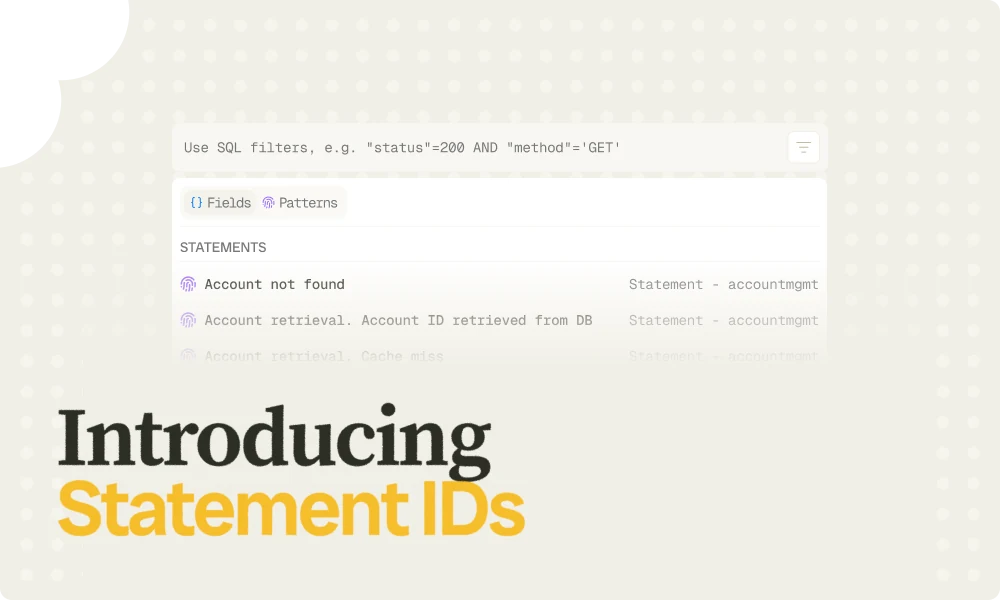
In this blog post, we introduce the concept of statement IDs and how they can be used in Bronto. A statement ID is a unique identifier assigned to log statements in source code. It can be expressed as a simple key-value pair, such as stmt_id=1234567890abcdef.
For instance, the following log statement
log.info("{} task was performed. duration_sec={}, stmt_id=b5bf893a4bf84d74", taskName, taskDurationSec)
can lead to many different log entries, e.g.
INFOCollection task was performed. duration_sec=2.45,
stmt_id=b5bf893a4bf84d74
INFOProcessing task was performed. duration_sec=0.03,
stmt_id=b5bf893a4bf84d74
INFOAggregation task was performed. duration_sec=1.06,
stmt_id=b5bf893a4bf84d74
As statement IDs are the same between these log entries, we can reliably say that they were issues from the same log statement. This would be more difficult to assert without statement IDs.
Statement IDs Vs File Path and Line Number
Logging frameworks often allow for the file name path and line number representing the location in the source code where a log entry was generated from, to be recorded, e.g. see CODE_FILE and CODE_LINE for SystemD as well as %line and %file for Log4j. This information is valuable for linking log entries back to the exact location in the code. Similarly, statement IDs also help identify the exact source code location from where a log entry is generated.
But they also have other benefits. Because statement IDs are resilient to refactoring, they facilitate identifying log entries from the same source statement, even across different versions of the software, where the file path and line number of these statements may differ between versions. Finally, capturing the file name and line number at runtime can carry a performance penalty (e.g. see Location Information section of https://logging.apache.org/log4j/2.3.x/manual/layouts.html) that certain systems cannot afford. Since statement IDs are introduced at build time, they avoid this issue entirely.
Statement ID Benefits
Regardless of the log management solution you use, there are clear benefits to introducing statement IDs into your logs.
Statement Disambiguity
First, they provide a unique identifier for each log statement. This means that when searching for specific occurrences of a log statement, you no longer need to worry about whether the substring you are searching for uniquely matches that statement, or whether it might also match other ones. Instead, you can simply search by the statement ID. If statement IDs are represented as log attributes or metadata, Bronto’s index makes search much faster.
For example, if we consider the log statement from earlier
log.info("{} task was performed. duration_sec={}, stmt_id=b5bf893a4bf84d74", taskName, taskDurationSec)
as well as the following one
log.info("Action performed. duration_sec={}, stmt_id=21f33b93e56c4ffe", taskDurationSec)
One may be interested in calculating the average duration of “tasks” or “actions” being performed. Recalling that the word “performed” is part of the log entries containing the relevant information, a user could query their log management solution in order to compute the average of the duration_sec variable on entries that match “performed”. If the user is interested in averaging durations on both tasks and actions, then filtering on “performed” would provide the correct answer. However, if the user is only interested in durations related to “tasks”, or only in durations related to “actions”, then filtering with “performed” would provide a wrong answer. Filtering based on statement IDs offers a more robust approach to making sure only relevant entries are considered in queries.
Dashboard & Monitor Definition Drifts
Another benefit of introducing statement IDs is that they can be used to define dashboard charts as well as monitors. Statement IDs make it possible to precisely identify the log statements that are relevant to a given chart or monitor. This prevents charts and monitors from capturing unrelated log entries that merely happen to match the filter used to define them. It also makes these charts and monitors more robust to future changes. Even if a filter is initially crafted to match exactly the intended log statements, this may no longer be true over time as new log statements also matching existing filters might be added to the code. Suppose that one has the chart reporting on the number of errors observed in a system, by counting the number of log entries that contain the word “error”. Suppose also that logs are generated by a web application with a UI that includes a search bar, and that users search input is logged. Each time a user searches for the word “error,” the system’s error count would increase, even though these occurrences are not true system errors. Using Statement IDs in chart and monitor filters prevents this kind of unintended behavior.
Statement With Highest Usage
A third useful capability enabled by statement IDs is grouping log entries by their values. By counting entries per statement ID, you can quickly identify which log statements appear most frequently in your dataset. This provides a good approximation of which statements contribute the most to your ingestion volume, often closely linked to your overall logging costs. Note, however, that this is only an approximation as it indicates a number of log entries rather than an amount of data ingested. Many solutions, like Bronto, rely on the latter for billing.
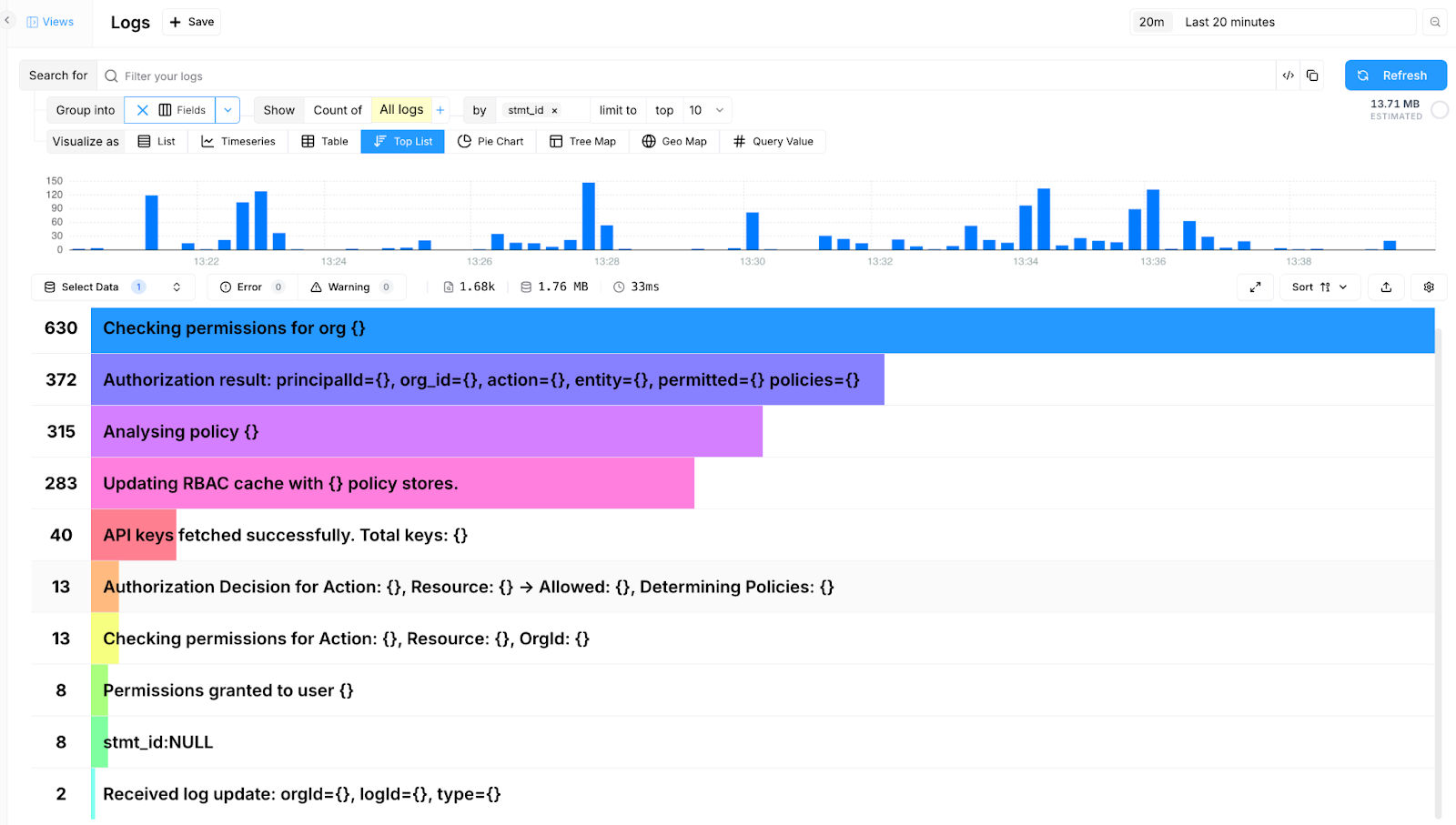
Figure 1. Number of events ingested per statement ID.
Statement IDs and Plain Text Search
Bronto supports statement IDs and their mapping to the corresponding log statement, where a log statement represents the pattern of log entries defined in the source code, such as e.g.
log.info("{} task was performed. duration_sec={}, stmt_id=b5bf893a4bf84d74", taskName, taskDurationSec)
With the following mapping
stmt_id=b5bf893a4bf84d74 => "{} task was performed. duration_sec={}, stmt_id=b5bf893a4bf84d74"
Bronto helps users refine their searches by suggesting log statements that match a given sequence of characters.
In the example shown below, the Bronto interface displays suggestions as the user types the characters “r-e-t-r-i.” Bronto lists all known log statements that match this sequence, offering them as potential statements to search for. This is extremely useful, as end users often struggle to determine exactly which statements correspond to the text they are searching for. As explained in the Statement Disambiguity section, they may know that the log statement under interest contains a certain substring, such as “retri”, but they may not know whether multiple statements contain it as well. By suggesting all possible matching statements, the system allows users to select exactly the relevant ones.
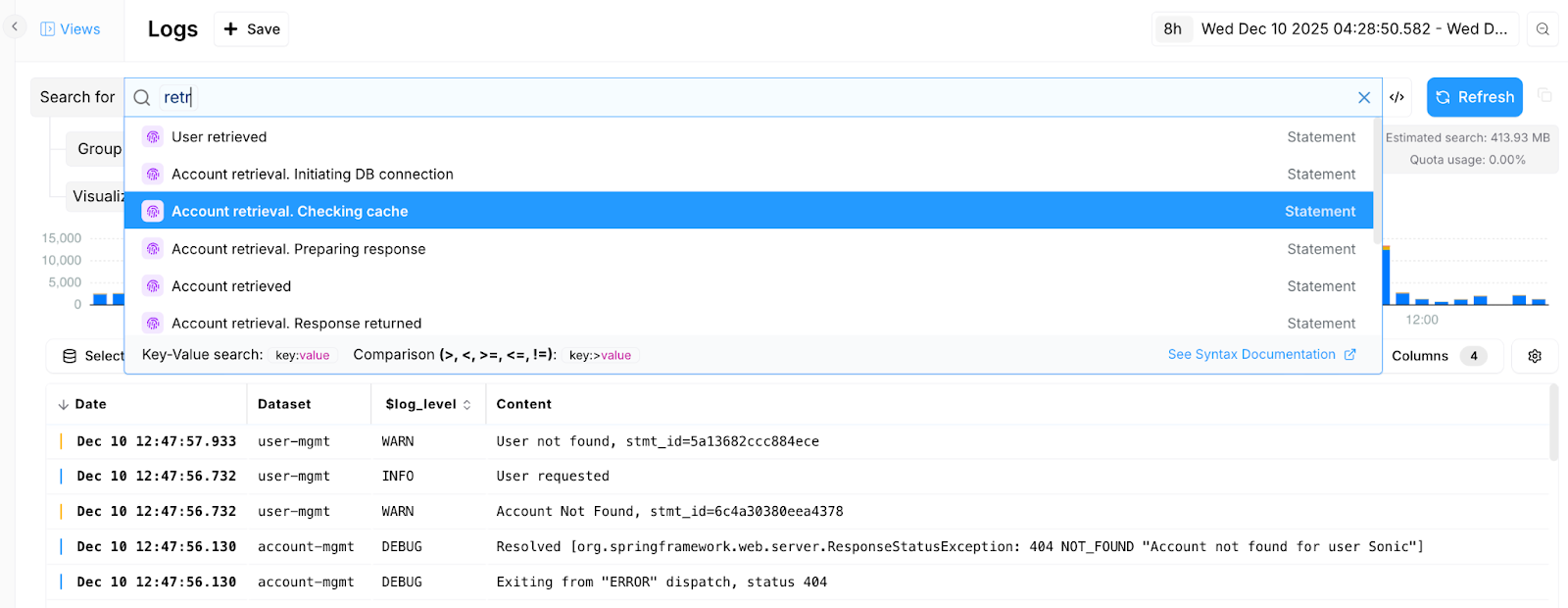
Figure 2. Searching based on log statement content.
Another benefit of this approach is that searches can be converted from simple substring matching to key-value searches based on statement IDs. Since Bronto already knows the mapping between log statements and their IDs, it can perform these key-value searches, which often provide substantially better performance than plain text search.
Linking Logs to Code
Finally, by knowing the Git repository containing the source code where the log statements are located, it becomes possible to move seamlessly from a log entry in Bronto to the corresponding source code entry. As described in the next section, Bronto relies on a Maven plugin in order to extract log statements, inject statement IDs into the source code, as well as gather metadata such as file names, repository URL, and line numbers for each log statement.
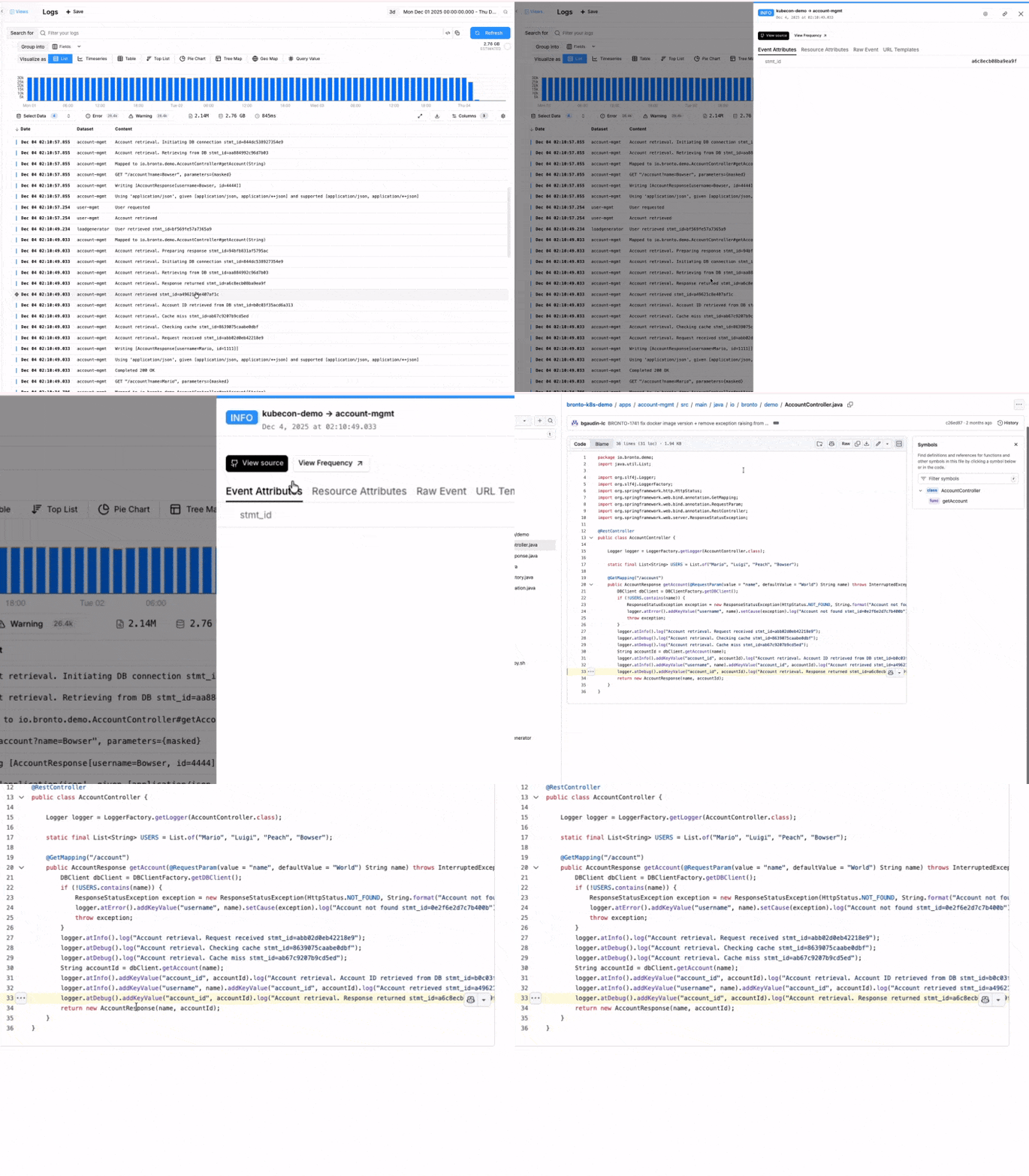
In the UI, when a user selects a log entry that contains a statement ID, they can simply click a button to be taken directly to the relevant location in the GitHub repository where the log statement generating that entry resides. This provides a very smooth transition from log data to source code.

Adding Statement IDs to Code
To add statement IDs to software, you need access to the source code. Currently, Bronto achieves this by providing a Maven plugin that parses Java code and injects the IDs where needed. Note that this can also be achieved by adding statement IDs by hand in source code or even by asking an AI coding assistant to perform that task. This approach has the advantage to not be tied to Java or Maven.
As explained in the previous section, simply adding statement IDs to source code is already valuable on its own. However, even more features become available if your log management solution understands which log entries correspond to which statement IDs. For this reason, the Bronto Statement ID Maven plugin not only injects the IDs but also extracts log statements from the source code and sends the mapping between the two to Bronto.
With this information, and as described in the Statement IDs and Plain Text Search section above, Bronto can make some searches easier to write and faster to run.
Finally Bronto will extend ways to inject statement IDs into code (multiple languages) and provide the mapping between statement IDs and log statements. Beyond relying on language parsers, Bronto is investigating the use of Large Language Models, as such an approach would offer a solution that is agnostic to the programming language used.
Why we are so excited about StatementID
In a world where context is more important than ever and where the line between static code and runtime telemetry data is getting blurred, we believe statement ID is a key piece of context that may help to improve outcomes related to AI coding assistants.
We are in the very early stages of exploring this - but stay tuned for more insights - and please reach out if you would like to partner with us on this journey.

Try Bronto free for 14 days
Centralize your agent and infrastructure telemetry in one platform with sub-second search and 12-month hot retention. No credit card required.